Start in Live. Finish in Audiotool.
Seedbed moves projects between Ableton Live and Audiotool, so you and your collaborators can each work in the DAW you like.
- Live to AudiotoolPush your Set from the extension panel.
- Audiotool to LiveHand it back as a seed anyone can open.
- No shared DAW neededOne in Live, one in a browser tab.
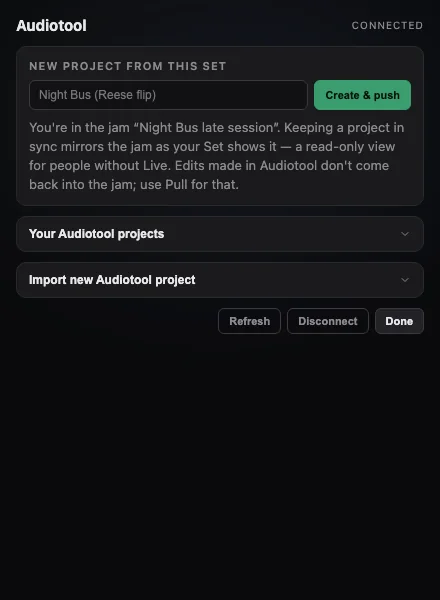
From Ableton to Audiotool.
Open the Audiotool panel in the Seedbed extension and push your Set. It opens as an Audiotool project with your tracks laid out, ready to keep going in the browser.
From Audiotool back to Live.
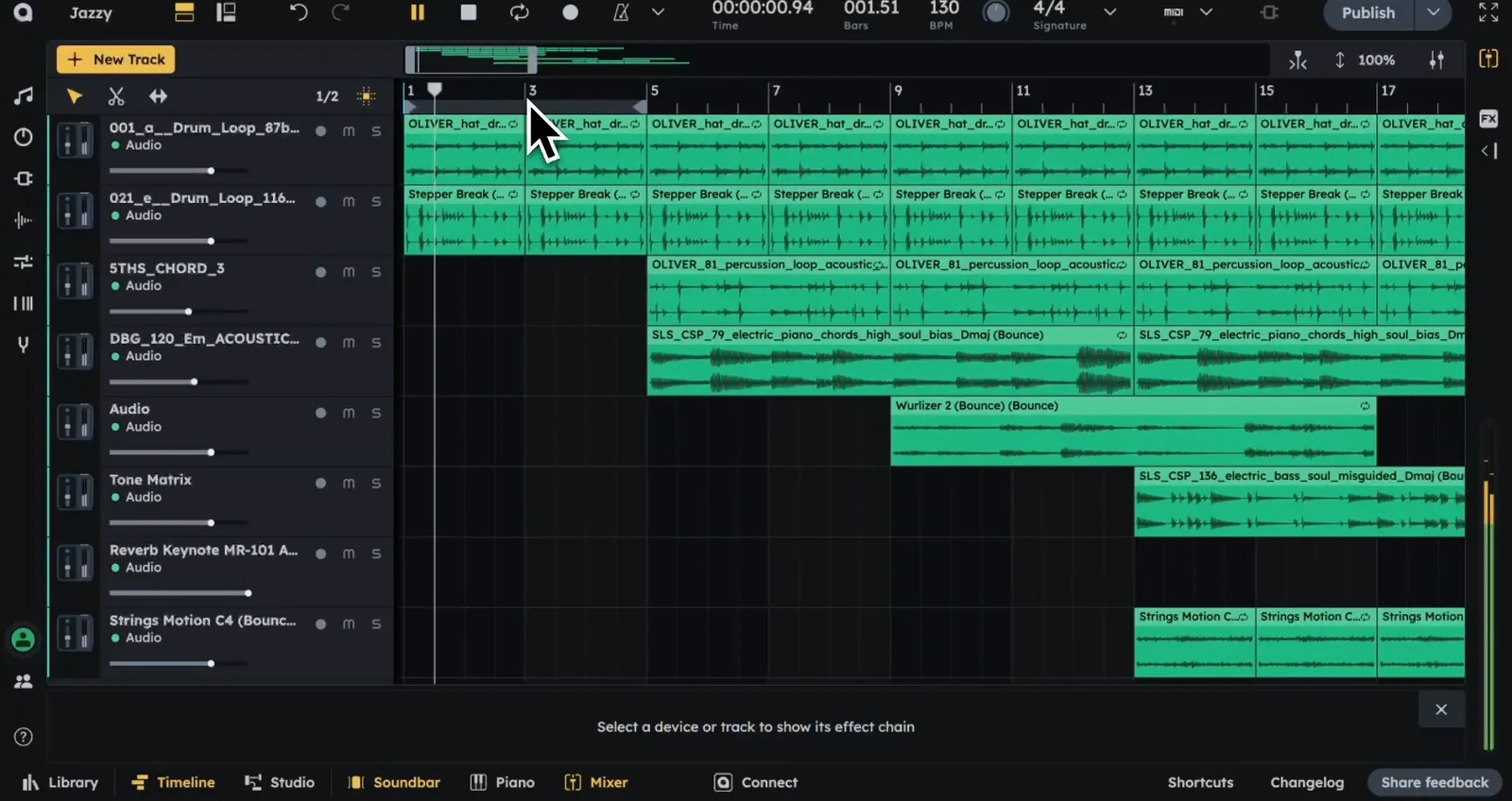
Pick up someone's dead idea in Audiotool, make it yours, then hand it back. It returns to Seedbed as a seed anyone can open in Live.
Collaborators don't need the same DAW.
One producer in Live, another in Audiotool on a laptop with no install. Same idea, both moving it forward.
Questions about Audiotool and Ableton
Can you open an Audiotool project in Ableton Live?
Yes, with Seedbed. Projects move between Audiotool and Ableton Live through a seed, so either side can pick it up.
Do I need to pay for Audiotool?
Audiotool runs in the browser. Check Audiotool for its current plans; Seedbed's side of the handoff needs no extra install.
Which Ableton version works?
The Seedbed extension currently requires Ableton Live 12 Beta, on macOS or Windows.
Most music never leaves the hard drive.
Plant yours, or pick up someone else's.