Every unfinished track has somewhere to go.
How producers use Seedbed to finish more music.
“I have a folder full of loops I never finish.”
Today
They sit on your hard drive, and every week there are a few more.
With Seedbed
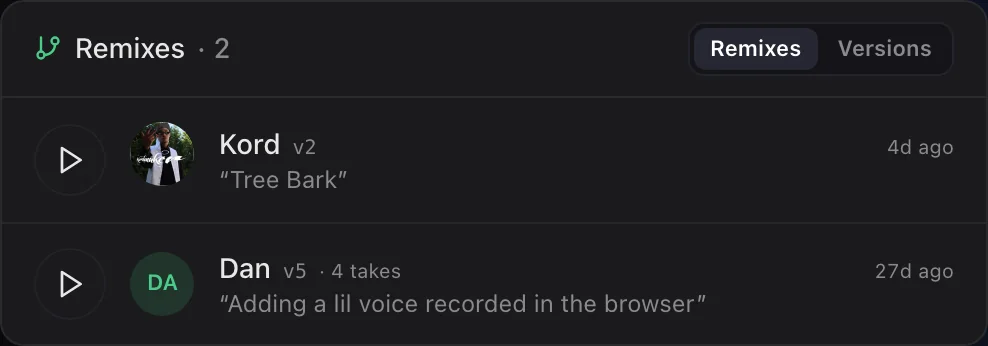
Share one as a seed, with its stems. Other producers pick it up and flip it, and every version comes back to you, credited to whoever made it.
“I'm stuck and need fresh ideas.”
Today
Same eight bars on loop, scrolling sample packs for something to spark it.
With Seedbed
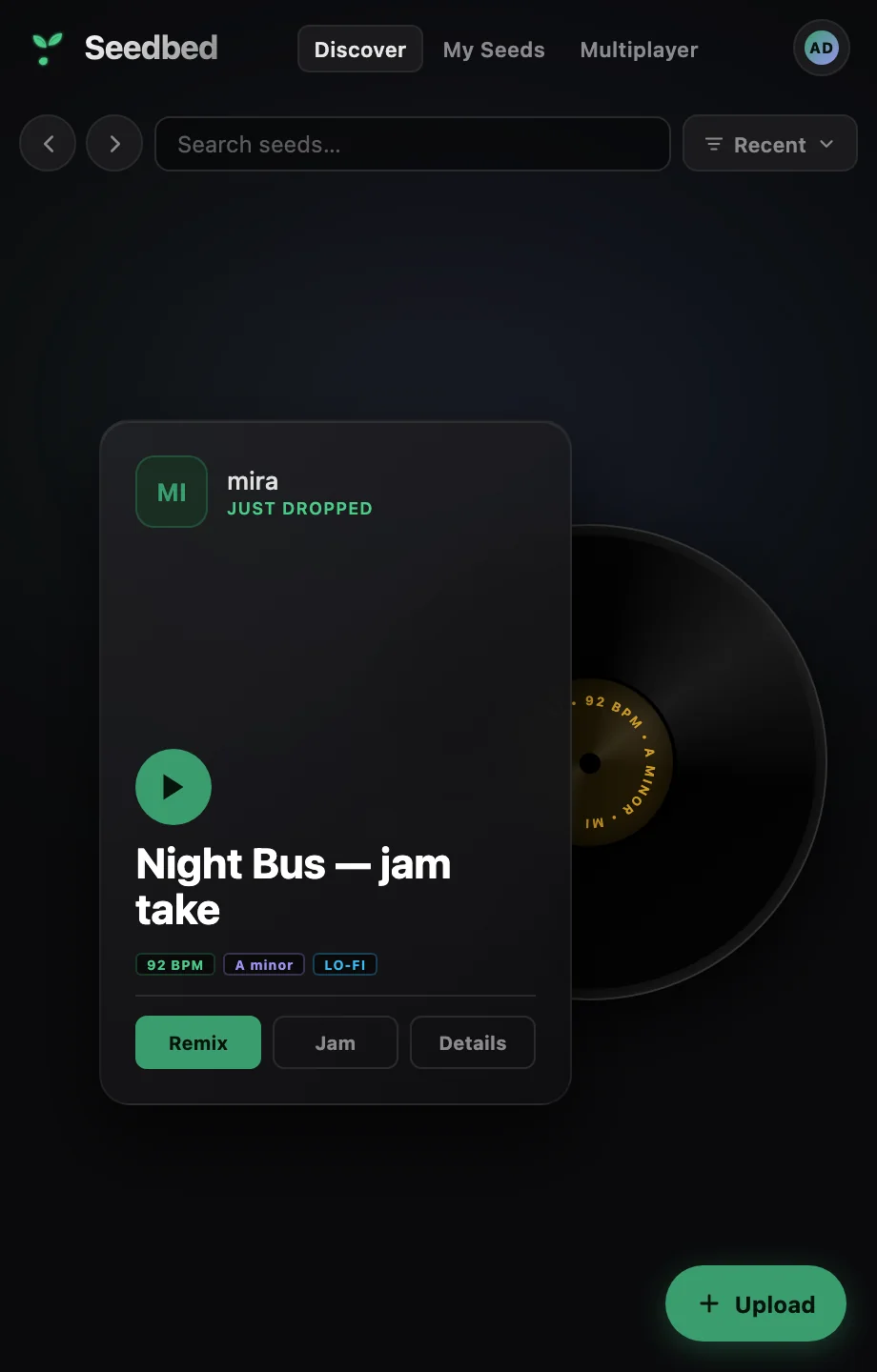
Browse other producers' unfinished ideas from a panel inside Ableton Live. Pick one and its stems land in your Set as clips, ready to flip.
“Collaborating means sending stems back and forth.”
Today
Bounce, upload, wait, re-import, repeat. By the time it comes back, the vibe is gone.
With Seedbed
Start a jam and send the link. Everyone works on the same Set at the same time, and every clip shows up for everyone as it's made. Collaborators can join from Live or straight from a browser.
 Dorado· Ableton LiveLive
 Kord· BrowserLive
“My friends use a different DAW, or none.”
Today
Their project won't open in yours, so you end up trading audio files and losing the session.
With Seedbed
Seedbed meets everyone where they already make music.
Started at a hackathon, made at the table.
Seedbed started at Music Hackspace × Berklee in June 2026 and has been built alongside the producers who use it since.
- 1stAbleton ChallengeMusic Hackspace
- 1stAudiotool Let's Build2026
- 2ndAndrew Huang ChallengeMusic Hackspace

Frequently asked questions
What is Seedbed?
Seedbed is a place to share unfinished music and finish it with other producers. You upload an idea you're stuck on as a seed, with its stems, and anyone can remix it, jam on it live or build on it. It works inside Ableton Live through an extension, in Audiotool, and in any web browser.
What is a seed?
A seed is an unfinished track shared on Seedbed: the audio, its stems, and details like tempo and key. Other producers can play it, pull its stems into their own session and post their version back as a remix.
Who is Seedbed for?
Producers with a backlog of unfinished ideas, beatmakers looking for stems to flip, and anyone who wants to make music with other people live, whether they use Ableton Live, Audiotool or no DAW at all.
Do my collaborators need Ableton Live?
No. Anyone can join a jam from a link in their web browser, with nothing to install. They can also remix seeds in Audiotool or in Seedbed's browser studio.
Which DAWs does Seedbed work with?
Ableton Live 12 Beta through the Seedbed extension, Audiotool, and Seedbed's own browser studio. A plugin for FL Studio, Logic and other DAWs is in private beta, with VST3 and AU versions on the way. You can also download any seed's stems and use them in any DAW.
What do I need to run the Seedbed extension for Ableton?
Ableton Live 12 Beta on macOS or Windows. Download the extension, drag the file into the Extensions panel and restart Live. Seedbed then shows up in the extensions sidebar.
Can I make music with Seedbed without a DAW?
Yes. Open any seed in the browser studio, which has pads, an arrangement view, a mixer and clip editors. There's nothing to install and you don't need an account to start.
Can I download a seed's stems?
Yes. Every seed's stems can be downloaded from its page in the browser, so you can drag them into FL Studio, Logic or any other DAW.
Can I use Seedbed with Audiotool?
Yes. Open any seed as an Audiotool project with its stems already on the timeline, then post your flip back as a credited remix. With the Ableton extension you can also send a Live Set to Audiotool and pull an Audiotool project back into Live.
How does credit work when someone remixes my track?
Every remix is linked to the seed it came from and credited to the producer who made it. Seedbed keeps each version, so anyone can follow the whole chain from the original idea to every flip, on the web and inside Live.
Most music never leaves the hard drive.
Plant yours, or pick up someone else's.